One domain, three connection states, three different paths
Not connected, smart routing, global proxy — the same domain takes a different lookup path and a different traffic exit under each of the three. Redoubtline lays out the whole chain rule by rule, and lets you change the verdict directly.
| State | DNS resolution | Traffic exit |
|---|---|---|
| Not connected | System resolver · plaintext | Physical interface |
| Smart routing | Direct or proxied resolver · encrypted | Decided rule by rule: direct / proxy / blocked |
| Global proxy | Same as smart routing | Everything outside the reserved rules goes through the proxy |
Resolution security
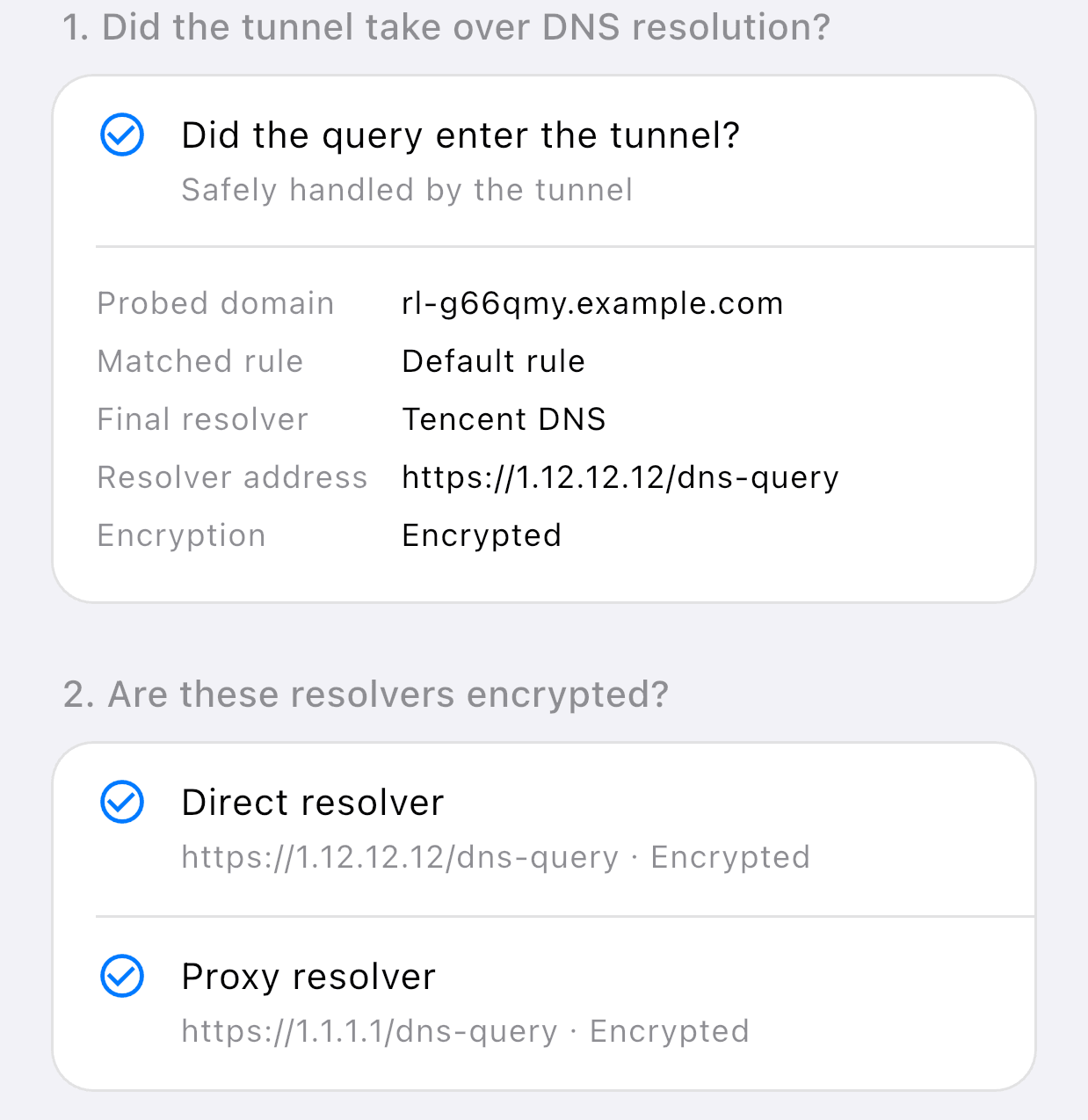
Encrypted DNS, two resolvers
Domain lookups go out over DoH, so no third party can read what was resolved. The direct and proxied resolvers are configured independently: pick a preset, or enter an address of your own.
DNS leak test
The tunnel takes over domain resolution completely, so lookups cannot escape around it. The test checks tunnel takeover and resolver encryption separately.
Routing transparency
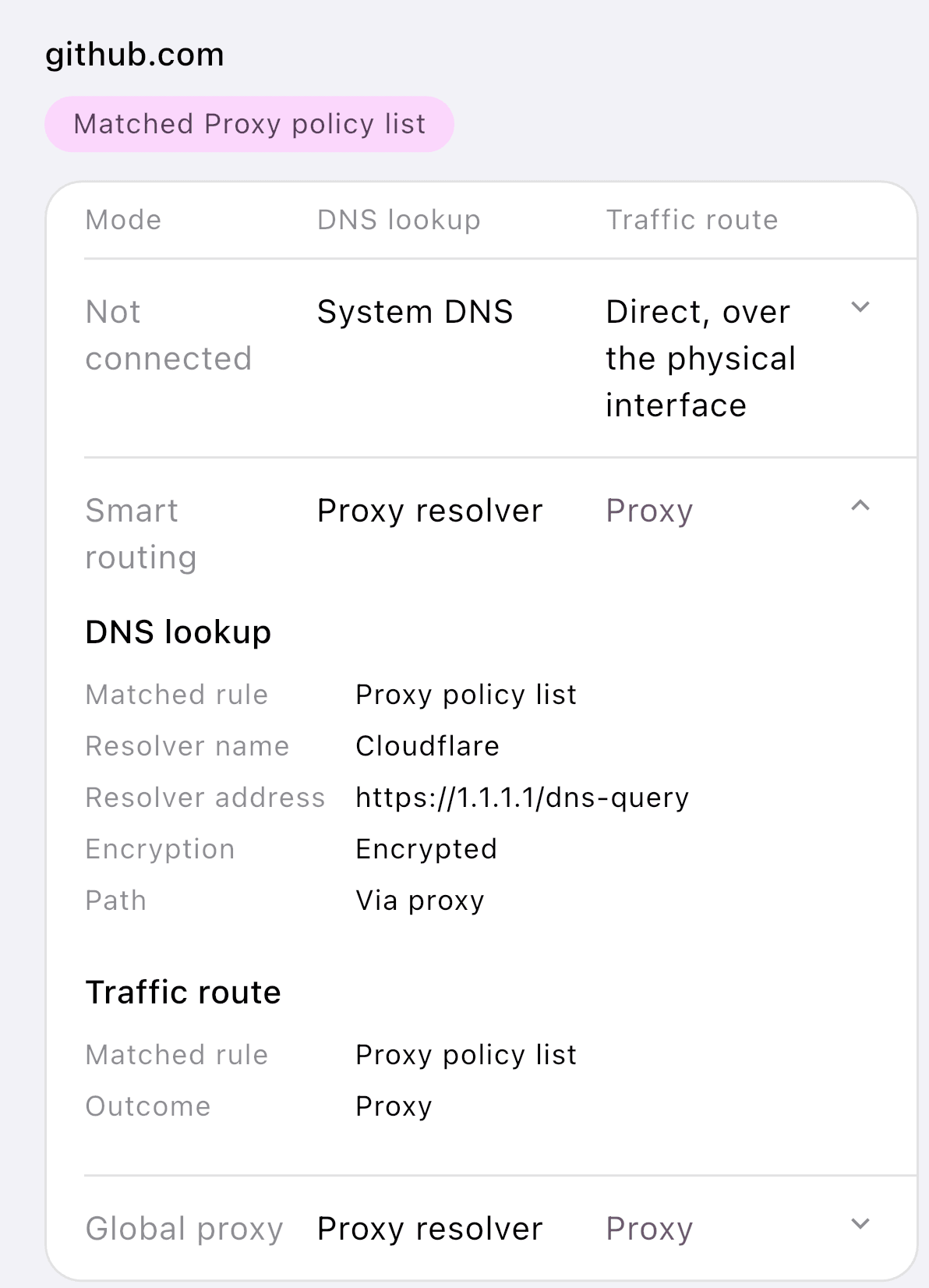
Domain route lookup
Enter any domain and see the lookup path and traffic exit under all three connection states side by side on one screen — then pin it to direct, proxy or blocked right there.
Live connections
Active connections grouped by domain, showing the exit, the traffic so far and the rule that matched, in real time. The data stays in memory and is cleared when you leave the page.
Under your control · Runtime transparency
Custom routing rules
Pin a domain suffix, keyword or IP range to direct, proxy or blocked. Custom rules take priority over the built-in rule sets.
Routes
Routes and their parameters are delivered in full and are identical for every user. When an entry address changes, the app switches over and reconnects on its own.
Two independent log channels
Connection logs and DNS query logs switch on separately. Both are off by default, and switching one off clears it.
Network and connectivity
Nine facts about the current network — link type, resolvers, egress IP and more — on one screen, plus an on-demand reachability test against common sites.